
If you’re a Plus or Premium vendor, you have access to the built-in Marketing Suite — but many vendors don’t realise just how powerful this is.
Let’s break it down.
What Is the Marketing & Advertising Suite?
If you’re a Plus or Premium vendor, you have access to powerful built-in promotion tools inside your dashboard:
- Marketing (direct social sharing)
- On-site Advertising campaigns
- Coupon codes
Used separately, they’re helpful.
Used together? They become a proper launch strategy.
This guide shows you how.
Part 1: Marketing — Share Smarter, Not Harder
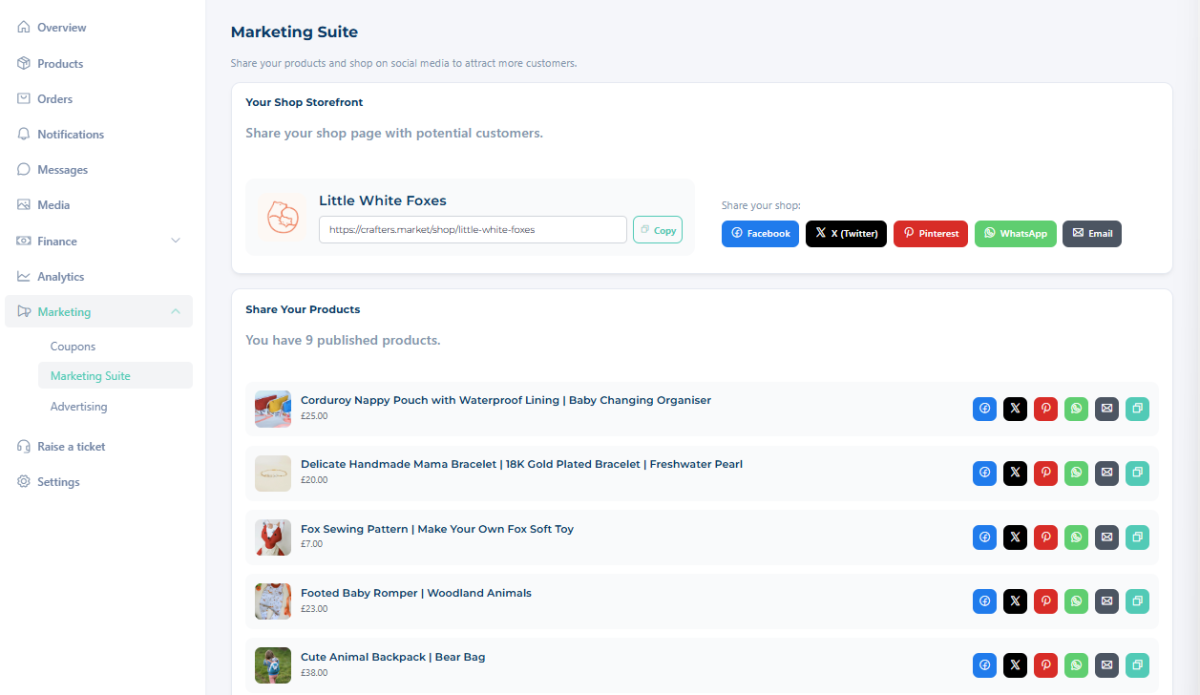
The Marketing feature allows you to directly share your products to your social platforms from inside your dashboard.
Instead of:
- Copying links
- Switching tabs
- Forgetting to promote consistently
You can share directly and keep your promotion organised.
How to Use Marketing Properly
When releasing a new product:
✔ Share to Facebook
✔ Share to Instagram
✔ Share to Pinterest (if relevant)
✔ Share multiple times across different days
One post is not a strategy.
Consistent visibility is.
Part 2: On-Site Advertising — Boost Visibility Inside the Marketplace
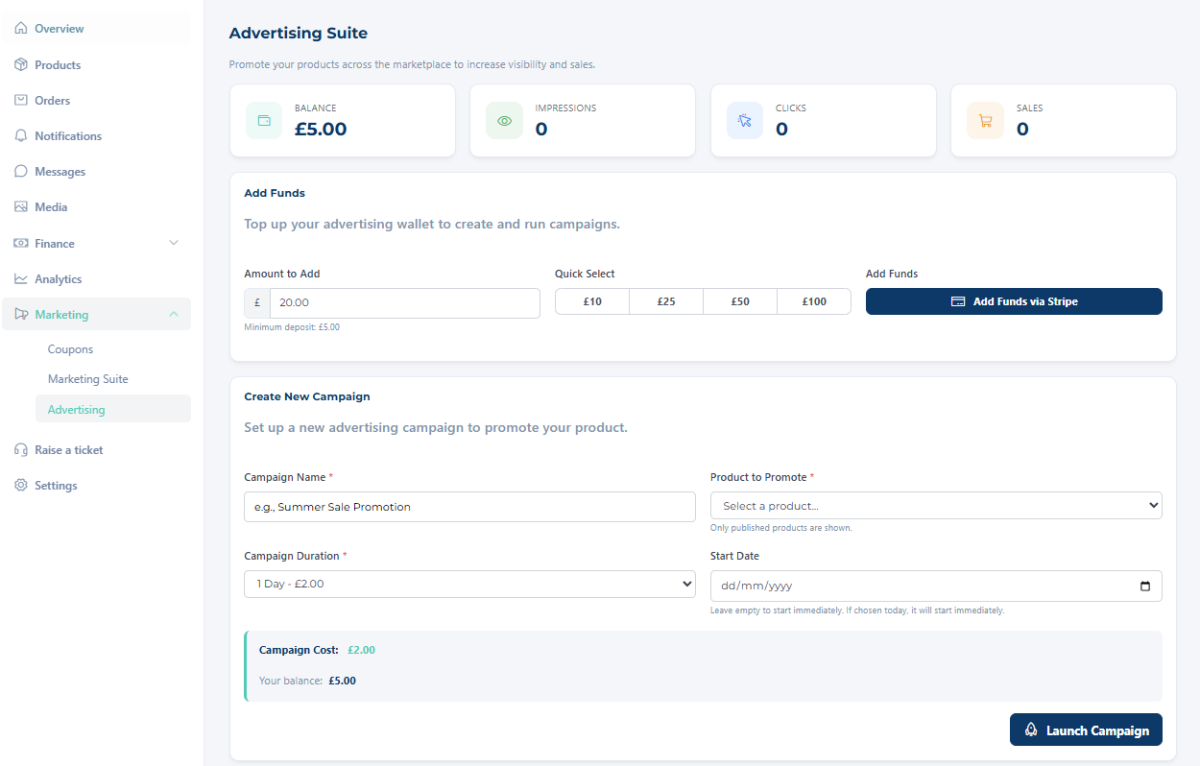
Advertising allows you to create internal ad campaigns within Crafter’s Market UK and track their performance.
This is different from social sharing.
Instead of pushing traffic in from outside, you’re increasing visibility to customers already browsing the marketplace.
What Advertising Does
It helps your product:
- Appear more prominently
- Gain additional exposure
- Compete during busy periods (like seasonal launches)
And most importantly:
You can track performance and see whether it’s working.
When to Use Advertising
Advertising works especially well when:
- Launching a new product range
- Promoting seasonal items
- Clearing limited stock
- Running a time-sensitive offer
Think of it as spotlighting your product.
Part 3: Coupons — Create Urgency & Encourage Action
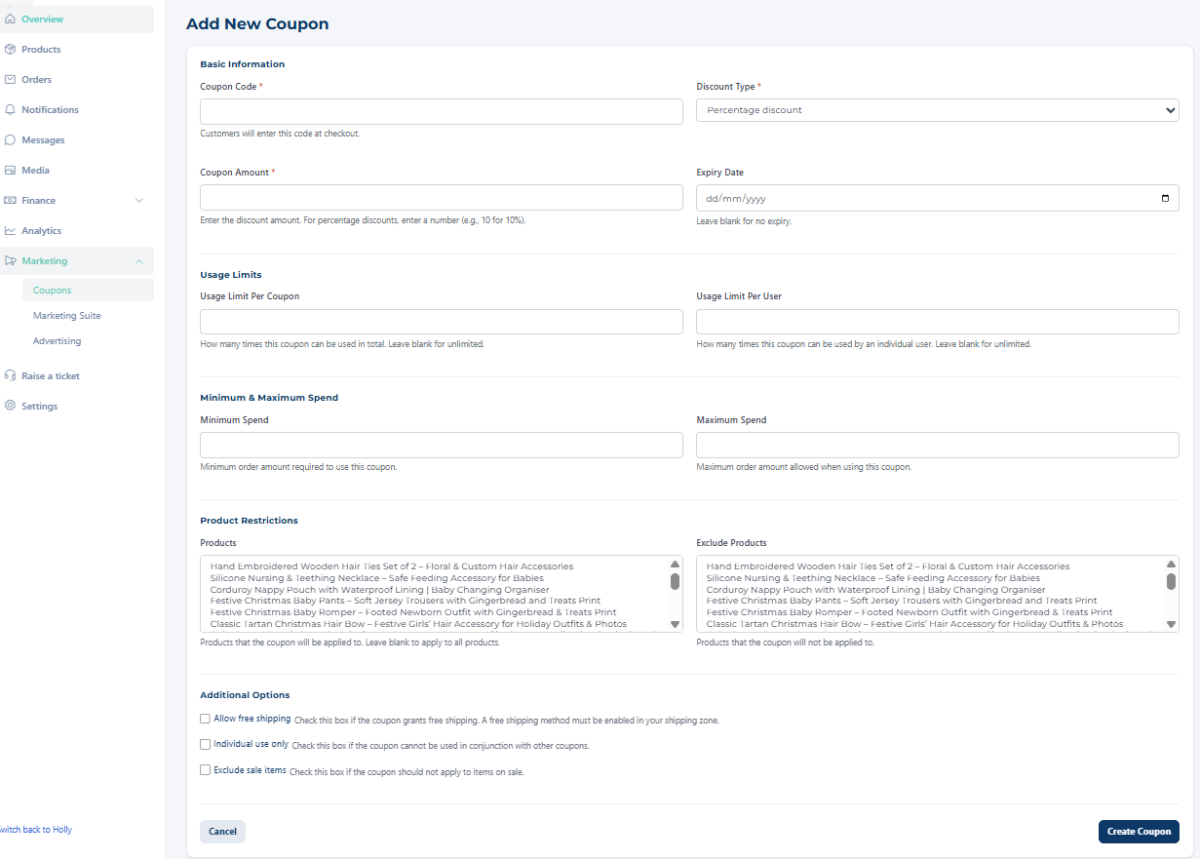
Coupons aren’t about undervaluing your work.
They’re about encouraging decisions.
Customers often need a reason to buy now rather than “later.”
A small, time-limited incentive can be that reason.
Smart Ways to Use Coupons
✔ Launch week discount
✔ Limited-time seasonal offer
✔ First-time buyer incentive
✔ Reward code for returning customers
Avoid permanent discounts.
Use them intentionally.
How to Combine All Three for Maximum Impact
Here’s where the magic happens.
Instead of:
“New product is live!”
You create a mini launch plan.
🧾 New Product Launch Checklist (Download PDF)
Every time you release a new product or range, follow this:
Step 1: Optimise First
Before promoting anything:
☐ Clear, high-quality photos
☐ Strong product title with keywords
☐ Detailed description
☐ Accurate pricing
☐ Shipping information complete
Promotion won’t fix a weak listing.
Step 2: Share Using Marketing Tools
☐ Share directly to Facebook
☐ Share to Instagram
☐ Share again 3–5 days later
☐ Share a different angle (benefits, behind-the-scenes, close-up photo)
Visibility requires repetition.
Step 3: Set Up an On-Site Advertising Campaign
☐ Create internal ad campaign
☐ Select your new product or range
☐ Set duration (e.g. 7–14 days)
☐ Monitor performance mid-way
If it’s seasonal, advertise early — not after everyone else has started.
Step 4: Add a Time-Limited Coupon
☐ Create a launch code (e.g. LAUNCH10)
☐ Set expiry date (7–10 days works well)
☐ Mention the expiry clearly in your posts
☐ Remove or deactivate when finished
Urgency drives action.
Step 5: Review Results
After 2–3 weeks, check:
☐ Product views
☐ Sales
☐ Coupon usage
☐ Ad performance
Ask:
- Did people click but not buy?
- Did the coupon increase conversions?
- Did the ad increase visibility?
Then refine next time.
Why This Matters
Many vendors:
Upload → Post once → Wait.
Successful vendors:
Upload → Optimise → Share consistently → Advertise strategically → Use urgency → Review data.
That’s the difference.
You don’t need to do everything at once.
But if you’re paying for access to these features, use them.
They exist to help you:
- Get seen
- Compete fairly
- Increase basket size
- Encourage action